

Introducing: Kudos Cards for peer recognition


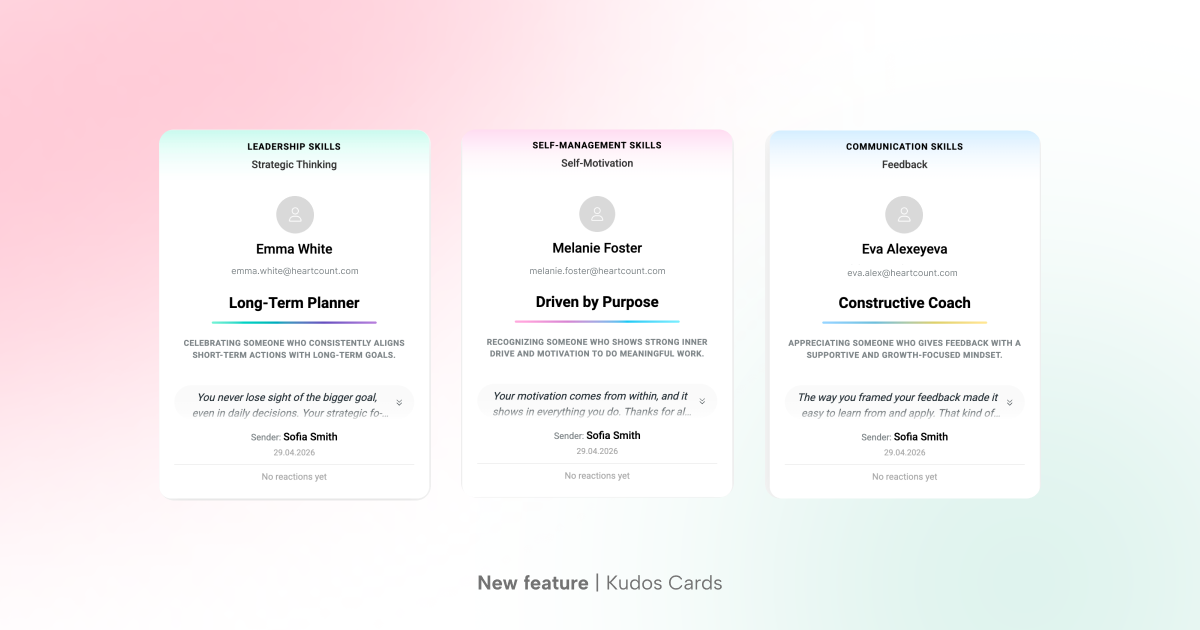

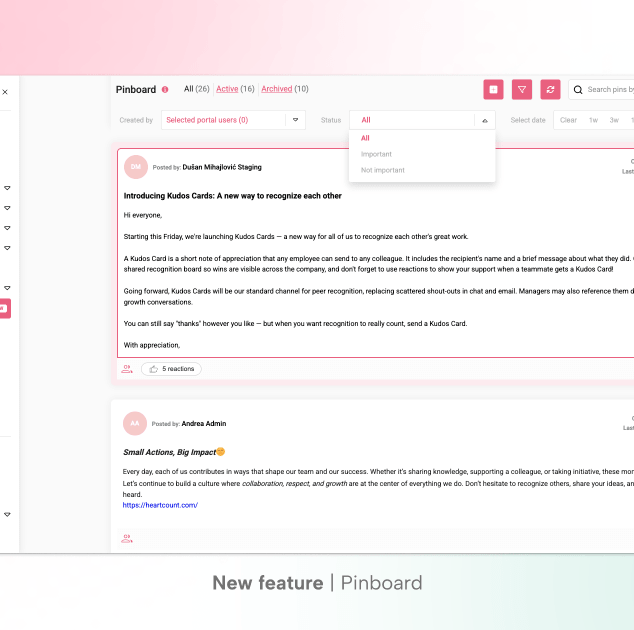
A new HeartCount feature for peer recognition. Read on to see how it benefits the company, culture, and employees.
Kudos Cards: An effective way to boost survey participation
Kudos Cards integrate peer recognition directly into the weekly pulse check, allowing employees to recognize colleagues immediately after completing the pulse check.
To make peer recognition easier, employees can select from a list of predefined, but editable cards. A full deck counts 150 Kudos Cards, aimed at soft-skill peer recognition.
How Kudos Cards help your company
Kudos Cards act as an added value to the weekly pulse checks, helping you to:
- Boost survey participation
Connecting weekly pulse checks with a fun way to recognize peers will make the whole process more rewarding and motivating, thus increasing response rates. - Understand team dynamics and individual contributions
Gain a sense of team dynamics, compare shared cards across teams, and observe how they collaborate. - Spot promising leaders and role models
Discover employees with a high level of influence within the team, see for which soft skills they are praised for, and reorganize your team structure if needed. - Strengthen company culture
Encourage employees to openly appreciate one another by commenting on or reacting to shared cards
Note: Kudos cards are enabled by default in the Company settings, and you can choose if you want them included in the Pulse Check.
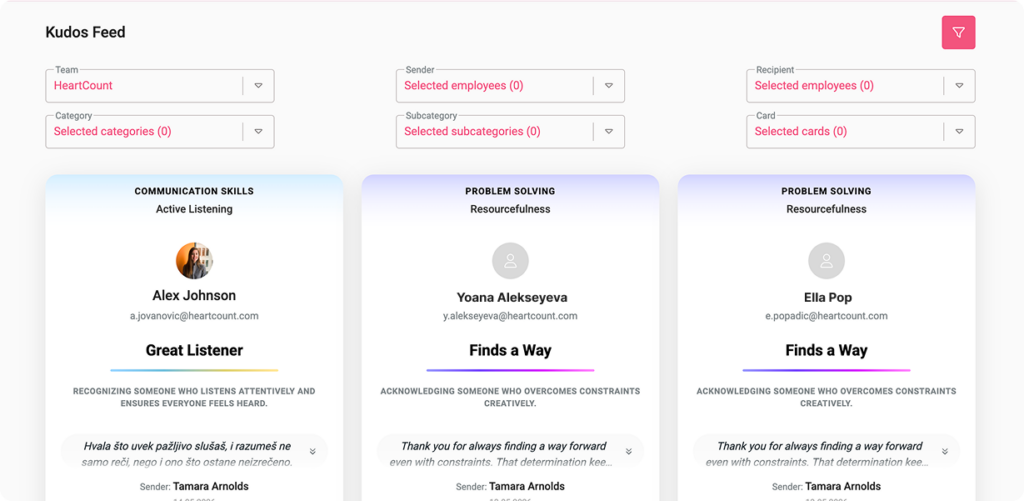
All exchanged cards will be visible in Kudos Feed, where you can filter them by team, sender, recipient, category, subcategory, card deck, and individual card.
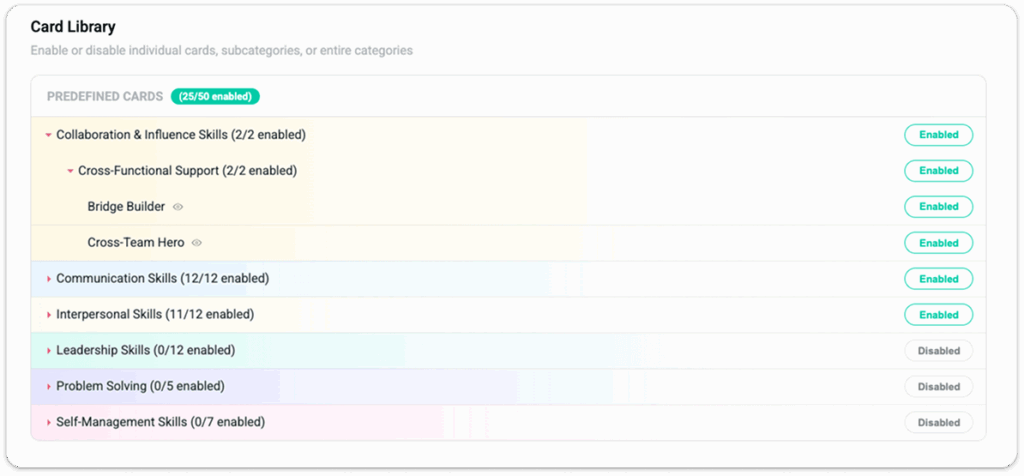
You can also choose to enable or disable individual cards, subcategories, or entire categories in the Kudos Cards Setup.
Kudos Cards will be included in the Weekly Digest report for Managers and Admins.
Note on the Praises: You will still be able to see the given Praises in the previous period, but leaving a new praise is no longer possible – only a Kudos Card.
See what’s happening in Kudos Analytics
Kudos Analytics gives you visibility into how Kudos Cards are being exchanged across your organization. See which cards, categories, and subcategories are used most often, and identify which teams or employees are receiving the most recognition.
Use it to spot trends over time, compare performance between teams and individuals, and uncover gaps in specific categories that may need more attention.
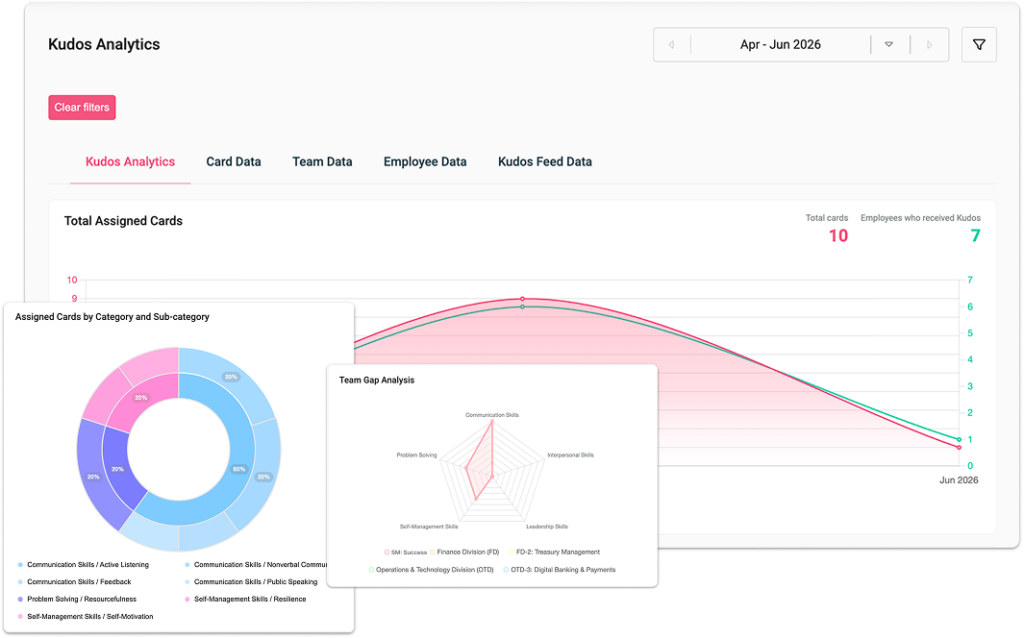
You can narrow down the data using the following filters:
- Team
- Card recipient
- Category
- Subcategory
- Specific card
- Time period – week, month, quarter, semiannual, or year
Filters apply across all views. If you switch tabs, your active filters carry over – so remember to adjust or clear them if you want to see unfiltered or differently filtered data in the new view.
Besides the main view, Kudos Analytics offers data organised in four additional views, each offering a different level of detail:
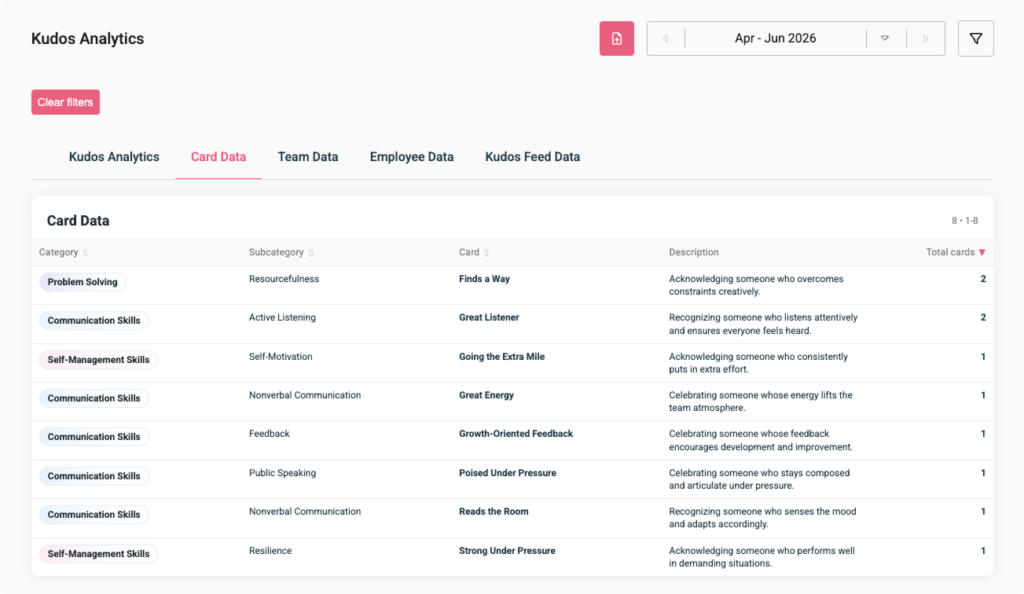
Card View
See the total number of cards shared, broken down by category.
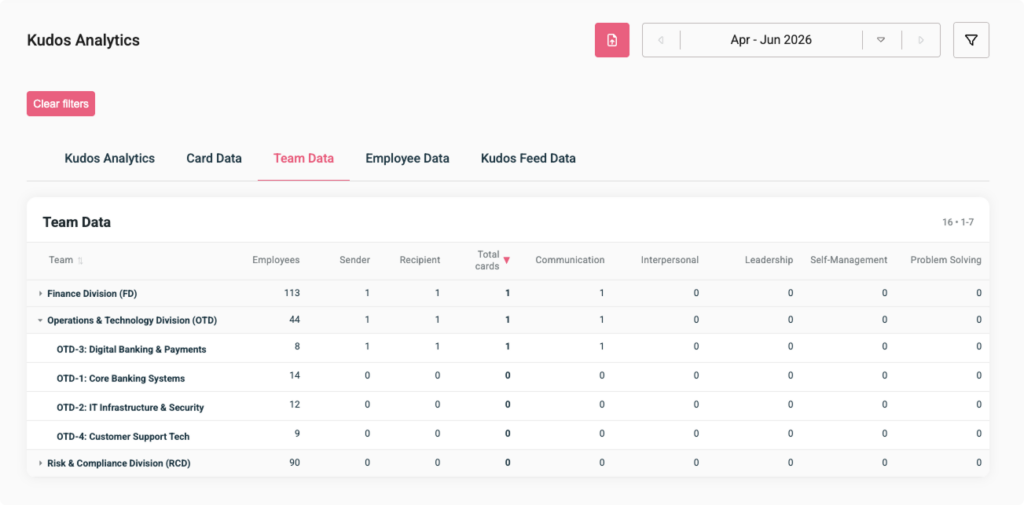
Team Data
See the total number of cards shared by each team or subteam, along with a category-level breakdown for each.
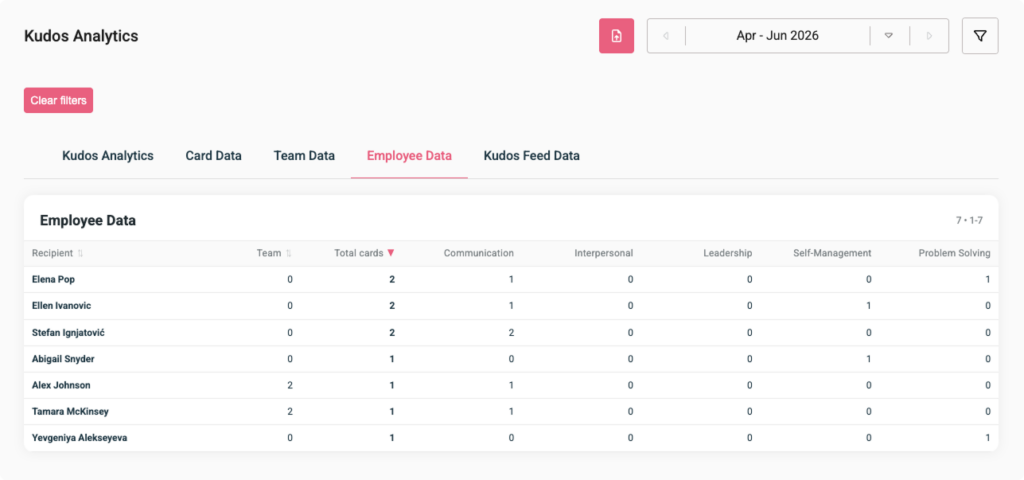
Employee Data
See the total number of cards received by each employee, along with a category-level breakdown for each.
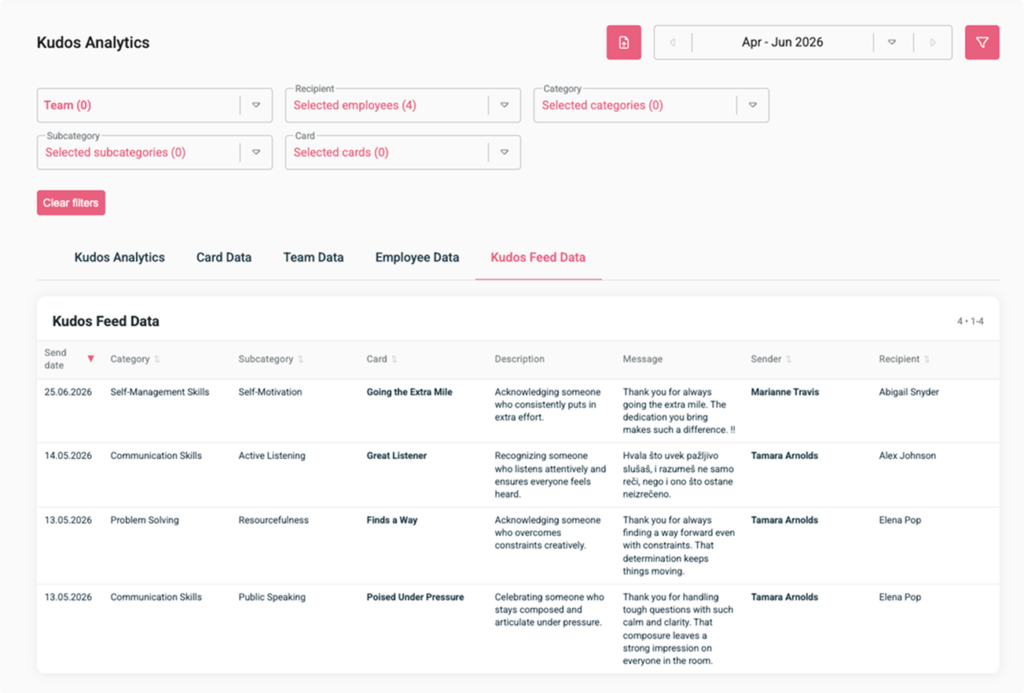
Kudos Feed Data
See full details of every exchanged Kudos Card, including the date of exchange, message, sender, recipient, category, subcategory, and description.
Kudos Cards as a way to recognize colleagues
Kudos Cards help you praise colleagues for specific traits you appreciate about working with them, helping you express your values in the workplace more clearly.
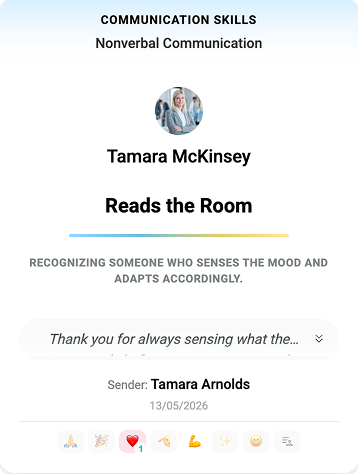
Besides sending and receiving cards, you can react to all exchanged cards in the following ways: thank-you, celebrate, love, respect, support, inspired, and funny.
Why use Kudos Cards?
Giving recognition to your teammates is an easy way to solidify and improve your collaboration, motivate them to keep building on what they do best, and possibly even get some appreciation in return.
- Delight your teammates in a quick & easy way:
Showing appreciation for your team members is not always a priority. Kudos Cards make it quick and easy to maintain high levels of trust and strong teamwork. - Help shape company values and culture:
Publicly acknowledging your team members for something clearly shows where your values stand. Confidently show what you value, and what kind of team members you need. - Recognize and express what you might struggle to formulate:
If you’re not great with words, but still wish to show gratitude towards the people you work with, Kudos Cards give you plenty of options to express what you feel. - Encourage personal and professional growth:
Kudos Cards don’t just give opportunities for soft skill appreciation. They act as an intrinsic motivator for improving skills and approach to work.
How to send a Kudos Card
You can send a Kudos Card to a colleague right after completing your weekly pulse check, or you can do it independently through the portal. The easiest option is to:
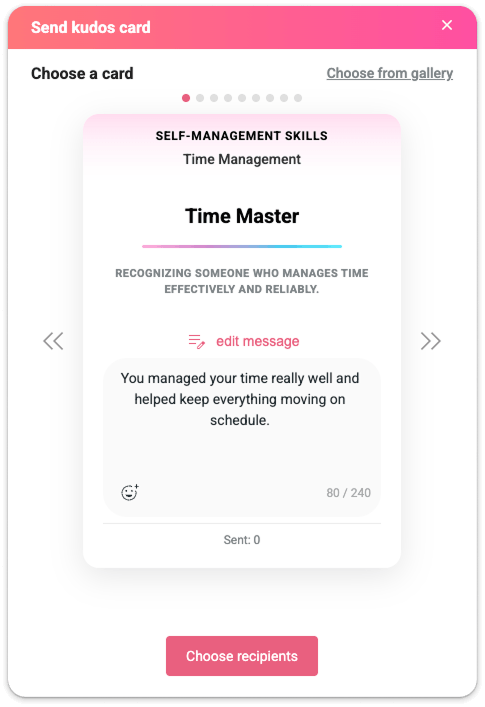
- Complete and submit your weekly pulse check. Submitting answers will open a new Kudos Cards modal.
- The Kudos Cards modal will offer you to browse through a short list of cards. Navigate through the cards using left and right arrows, or swiping on mobile.
- You can skip this step if you want to do it later, and browse through the cards Gallery before sending them.
- Once your card is chosen, edit the default card text if needed, tag a recipient, and send it to a colleague. You can repeat this process for up to ten people in one iteration.
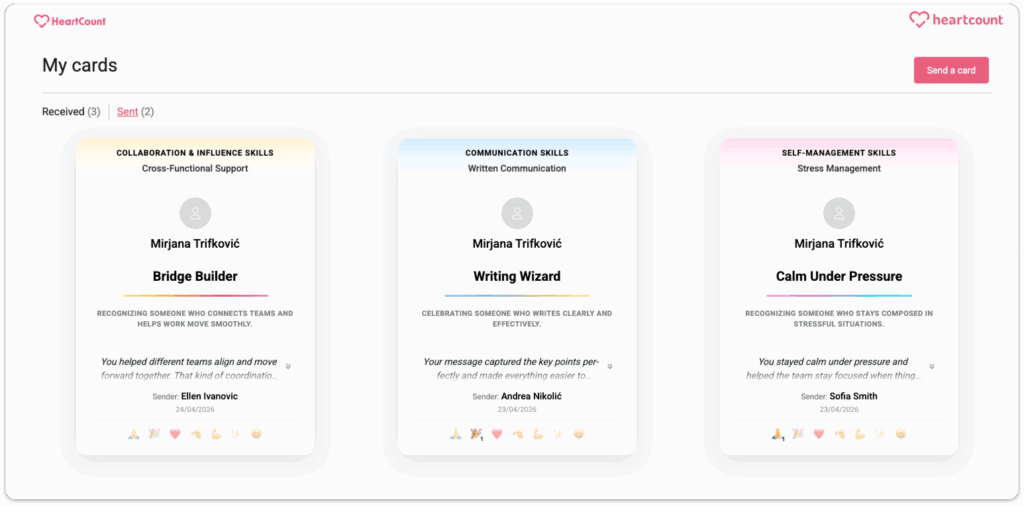
You can revisit your received or sent Kudos Cards when logged in to HeartCount. To receive a notification when you get sent a Kudos Card, enable push notifications.
Already have a colleague in mind? Log in to send a card now!