

Introducing: Custom Employee Engagement Survey



Get a fuller picture of employee engagement with a flexible, customizable survey you can run annually, quarterly, or whenever it makes sense for your team. Start from scratch or use our template – either way, you’re in full control.
Build your survey from scratch
Create a new Custom Survey and enable the Engagement Survey toggle before adding questions. This is what unlocks your dedicated Engagement Report with all the metrics and dimensions (Engagement Index, eNPS, Intent to Leave, Motivation, Autonomy, and Emotional Exhaustion).
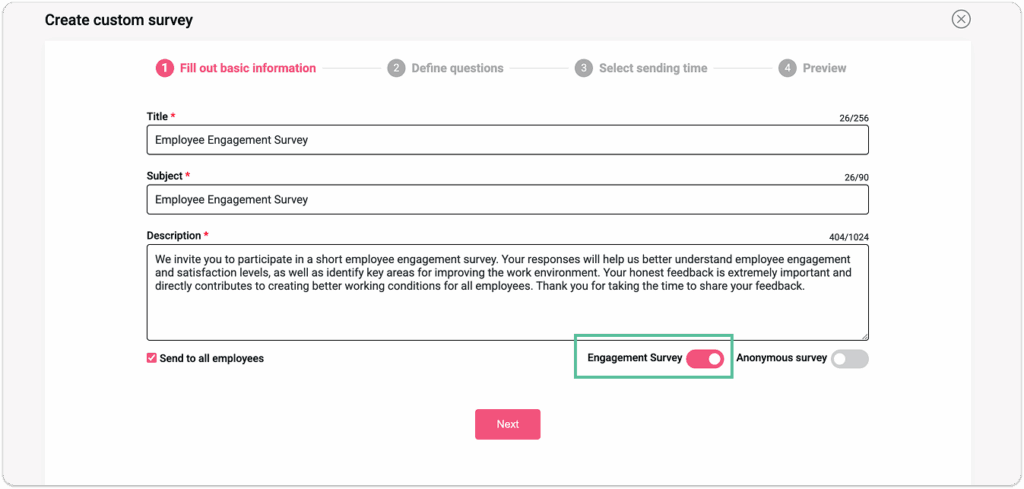
Once the toggle is on, customize your survey across four key areas:
- Recipients – Send to your entire organization or specific teams.
- Language – Survey employees in any language enabled in your app, perfect for multilingual teams.
- Anonymity – Make responses anonymous to encourage candid feedback.
- Survey Duration, Sending Time, and Reminders – Set an expiration date, send immediately or schedule ahead, and add reminders 24h after sending.
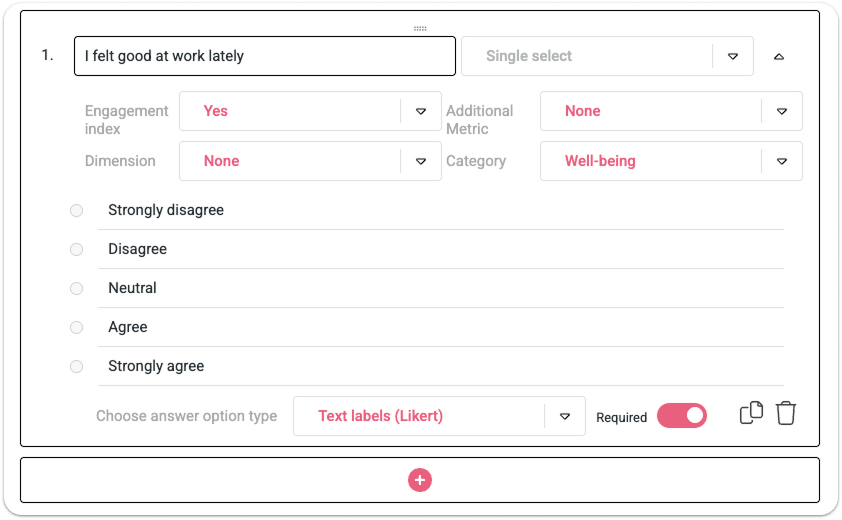
A few rules keep engagement calculations valid. Each question must use a single-choice Likert scale, be connected to at least one metric, dimension, or category, and at least one question must measure the Engagement Index.
For each custom question, define:
- If it measures Engagement Index – Select Yes or No from the dropdown menu.
- If it measures an Additional metric – Select eNPS or Intent to leave from the dropdown menu.
- If it measures a specific Dimension – Select Autonomy, Motivation, or Emotional Exhaustion.
- A category of the question – Select one of the HeartCount Categories: Well-being, Feedback & Recognition, Job Satisfaction, Relationship with Management, Relationship with Colleagues, Attitude towards the Company, Personal Advancement, Productivity & Efficiency.
Start from a template
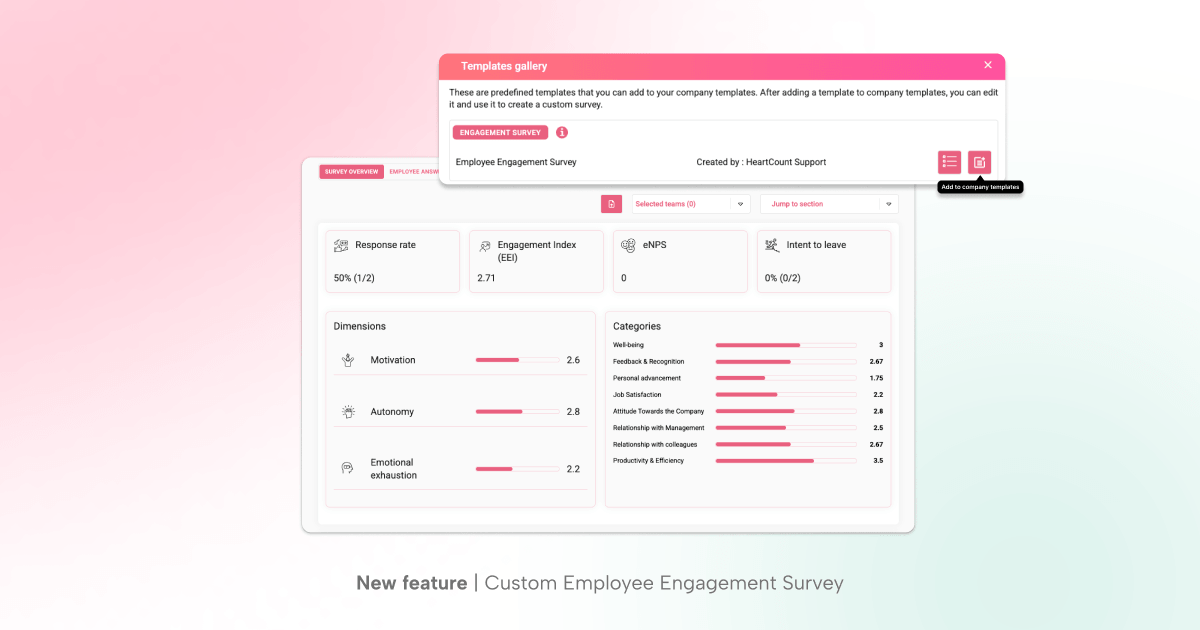
If you’re not sure where to start, use the Employee Engagement survey from the Templates gallery and customize it from there.
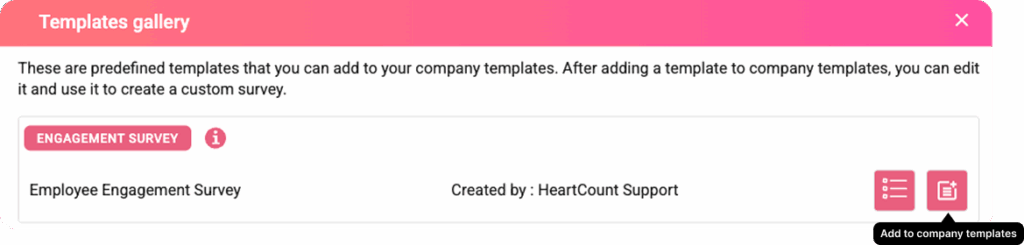
It comes with 29 pre-defined, editable questions covering the full range of engagement metrics and dimensions. Here’s how it works:
- Add it to your company templates.
- Customize recipients, questions, anonymity, and timing – and make sure to keep the Engagement Survey toggle on to unlock your full Engagement Report.
Send, schedule, and manage your survey
Once your questions are ready, send the survey immediately or schedule it for later. Either way, set an expiration date and preview and edit everything before it goes out.
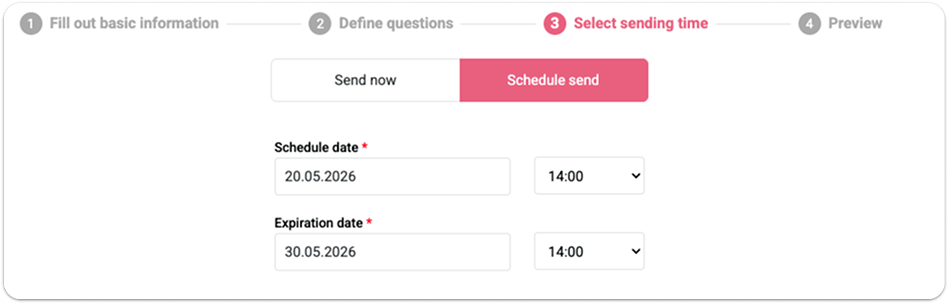
Survey status will be displayed as scheduled, sent, or expired, based on the latest activity.
After sending, you can still adjust the expiration date, send a reminder (available 24h after launch), or stop the survey entirely.
Analyze & Export Engagement Report
When survey answers are received, you will be able to see the complete Employee Engagement Report.
The report results show:
- Survey Overview
- Employee Answers (for non-anonymous surveys)
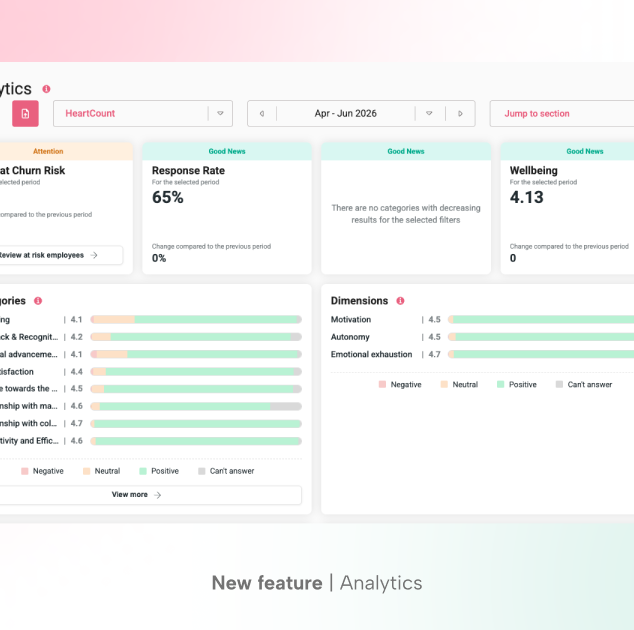
The Survey Overview tab shows you the overall response rate, with a summary of results for Engagement Index, eNPS, Intent to Leave, and HeartCount Dimensions and Categories. Below, each section in the summary is explained individually, with guidelines on how to understand the results.
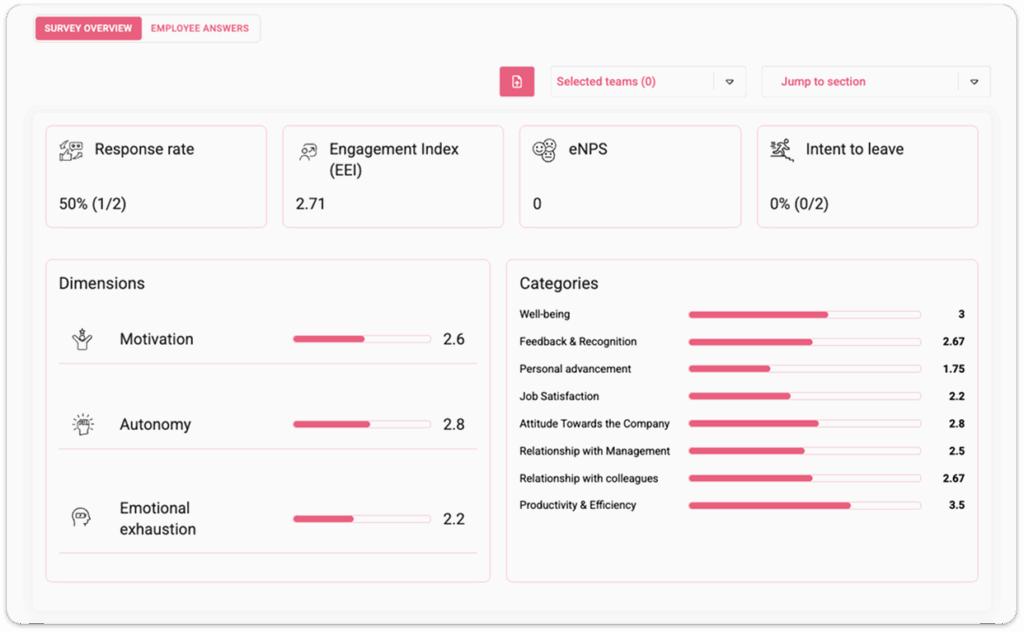
The Survey Overview can be exported in PDF, in case you want to keep an internal log or share a report with someone without access to results in HeartCount.
The Employee Answers tab shows you an overview of all questions, what they measure, and how employees answered. If the survey is anonymous, you will be able to see responses for each question, but not respondents.
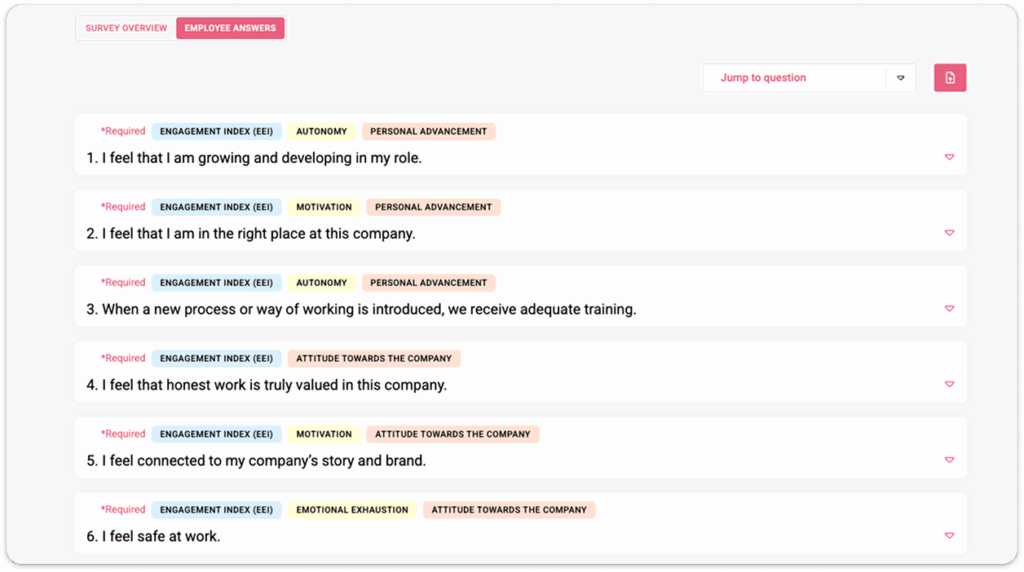
This gives you a complete insight into what is measured and how specific individuals feel about specific questions.
The Employee Answers can be exported in .xlsx format if you want to maintain an internal log or share a report with someone who does not have access to the results in HeartCount.
See what your employees really think. Launch your first custom Employee Engagement Survey for quick engagement insights!