

Introducing: AI Impact Module



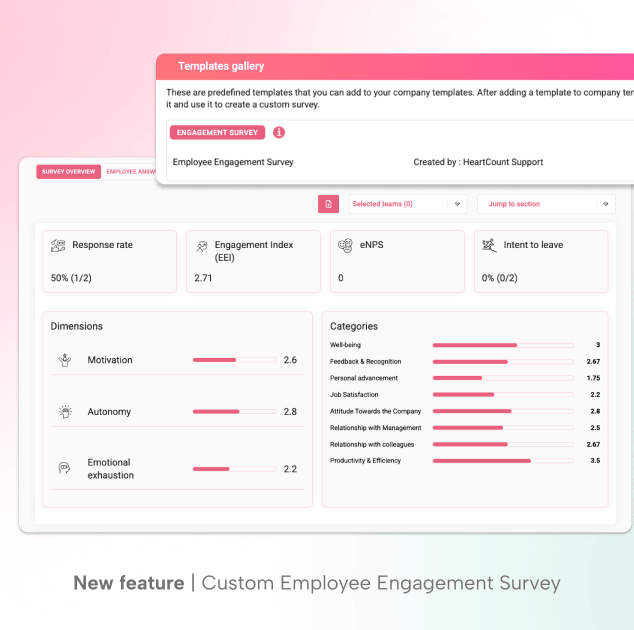
As organizations rush to adopt AI, a critical question often goes unanswered: what is it actually doing to your people? HeartCount’s AI Impact Module helps you find out.
The module measures AI readiness, adoption levels, and the real impact AI tools have on employees – across their daily work, team dynamics, and overall experience.
It’s available as part of your existing paid subscription, or as a standalone module. To activate it, contact our support team (available within the app).
What the AI Impact Module measures
The module goes beyond simple usage tracking. It captures three layers of insight:
Metrics give you a high-level snapshot of your organization’s overall AI state – AI Pulse, AI Threat, and AI Experience – which you can benchmark over time as AI adoption evolves.
Dimensions are umbrella indicators shaped by multiple underlying categories. The three dimensions are Competence, Collaboration, and Initiative.
Categories are the business-specific aspects of AI adoption that matter most for individuals and organizations: Fatigue, Adoption, Culture, Leadership, Strategy, and Efficiency.
| INSIGHT | WHAT IT MEASURES |
| AI Pulse | Overall AI-related sentiment/health across the organization. |
| AI Threat | Percentage and number of employees who perceive AI as a threat to their job security at the organizational level. |
| AI Experience | Percentage of respondents who selected positive answers (ratings 4 or 5) out of the total number of received responses. |
| Competence | Employees’ inner sense of self-confidence, expertise, and worth. A high score indicates that the person feels confident in their knowledge, sees the purpose of AI tools in their position, and feels that their critical thinking is valued. |
| Collaboration | Team dynamics and synergy. It shows how well the team functions as a whole in the AI era – whether they openly share tricks and experiences, whether they learn from each other, and whether the leader successfully integrates AI into the team spirit. |
| Initiative | Inner curiosity and proactive behavior. Employees scoring high on this dimension do not wait to be told what to do; they explore new tools on their own, are motivated to solve problems, and see learning as the key to their success. |
| Fatigue | This is a scale that measures negative aspects. But for easier interpretation, a low score is an alarm. It points out that employees feel overwhelmed by the mental strain of correcting mistakes made by AI, the pressure to constantly prove productivity, or fear for their workplace. |
| Adoption | Employees’ personal motivation and their recognition of the value of AI tools. A high score in this category means that employees see AI as an opportunity for professional development and improving their work, rather than as an imposed obligation. |
| Culture | Transparency of the company and the existence of shared values. It focuses on whether employees receive feedback about their work with the AI tool, whether they know how their role is changing, and whether there are clear ethical boundaries for the use of technology within the team. |
| Leadership | Extent to which line managers lead by example, clearly communicate goals and recognize the effort employees invest in learning. Managers are a key bridge in this transformation – a high score here means the team has strong support “from above.” |
| Strategy | How well the company itself has provided the “infrastructure” for success. These include clearly defined policies and guidelines, easy availability of AI tools, and the quality of training provided by the firm. It also measures whether human critical thinking is still valued. |
| Efficiency | Real use value of AI in practice. It measures whether the tools really improve the quality of work, how confident employees are while using them, and whether the team successfully balances individual work with AI and shared goals. |
Besides these, HeartCount’s AI Impact Module helps you collect usage and demographic data.
Usage data captures the types and frequencies of AI tools employees use, giving you a practical view of how AI is actually used day-to-day.
Demographic data provides the lens through which employee insights gain real meaning. By segmenting your workforce – by age, education, tenure, or experience – you move from raw numbers to conclusions that actually inform decisions.
Setting up the AI Impact survey
The fastest way to get started is through the Template Gallery, where HeartCount’s pre-defined AI Impact survey is ready to launch in a few steps.
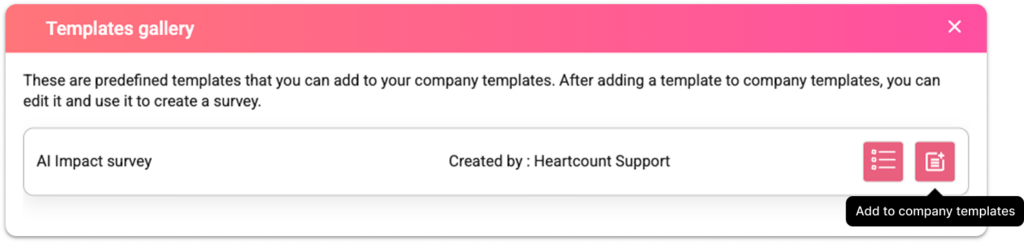
Here are the steps to create an AI Impact Survey (video below):
1. Basic setup: Set your survey title, subject, and description. You can also enable anonymity – if left disabled, you’ll be able to see how each employee responded to each question.
2. Recipients: Choose which teams or individual employees will receive the survey.
3. Demographic data (optional): Define custom ranges for employee attributes that will act as filters in the report – age group, years of experience, years at the company, education level, role level, and location.
4. Usage questions (optional): Customize which usage questions to include and whether they’re required or optional. These cover:
- Frequency of AI tool use
- Weekly time spent using AI
- Types of tasks done with AI assistance (multi-choice)
- Time saved per week
- Which specific AI tools employees use (multi-choice)
5. Pre-defined questions: HeartCount’s core AI Impact questions can be defined as:
- Single-select (Likert scale)
- Multi-select
- Open question
These questions can be changed and adjusted. But at least one has to examine the AI Pulse metric.
6. Schedule: Send the survey immediately or schedule it for a later time.
Before launching, you’ll get a full preview of the survey – including recipients, anonymity settings, and all selected questions.
💡Note: To allow employees to respond to the AI survey more than once, enable multiple responses in Company Settings. You can also create multiple surveys for different teams or purposes and save them as company templates for future use.
Analyzing results in the AI Impact Report
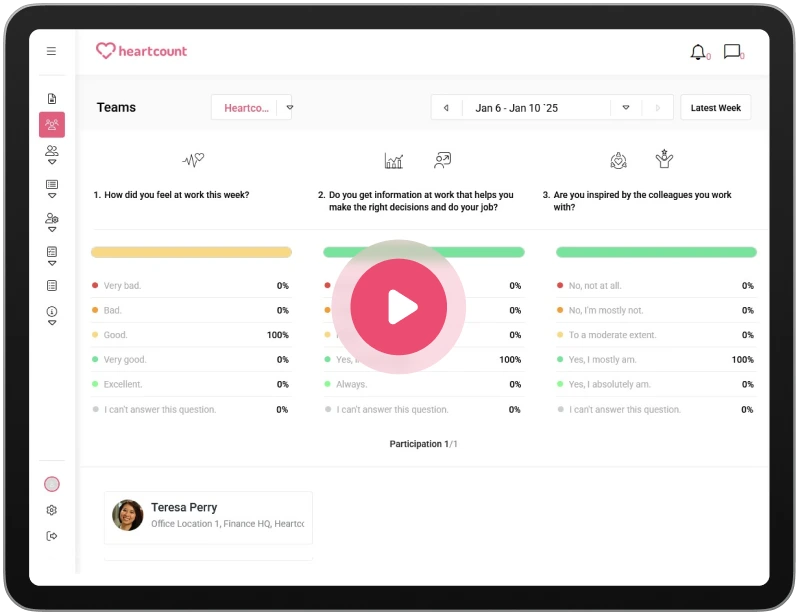
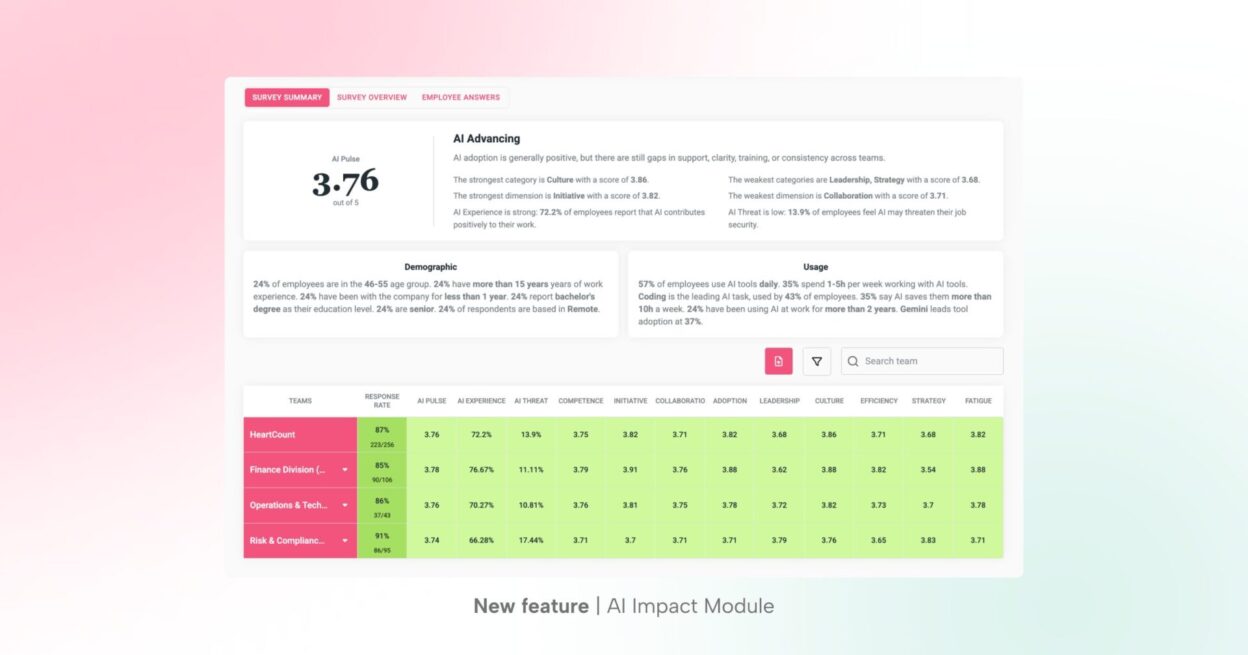
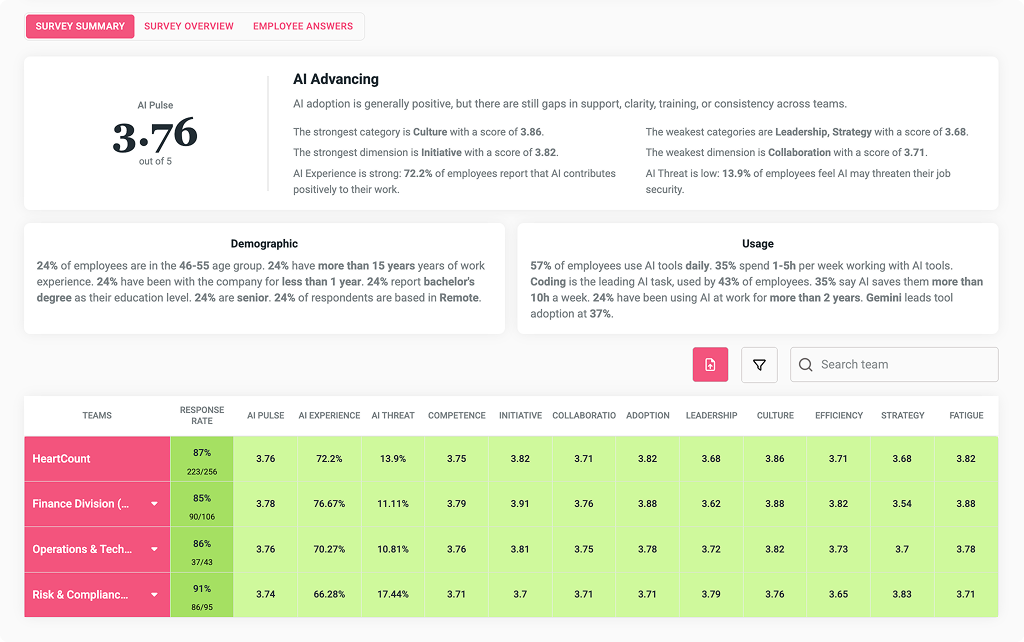
Once responses are collected, the AI Impact Report becomes available with three tabs: Summary, Overview, and Employee Answers.
Survey Summary shows the overall current state of the AI impact in your team: AI Pulse, your strongest and weakest categories and dimensions, metric scores, and a summary of usage and demographic statistics.
The Summary page can be filtered and exported as an Excel file.
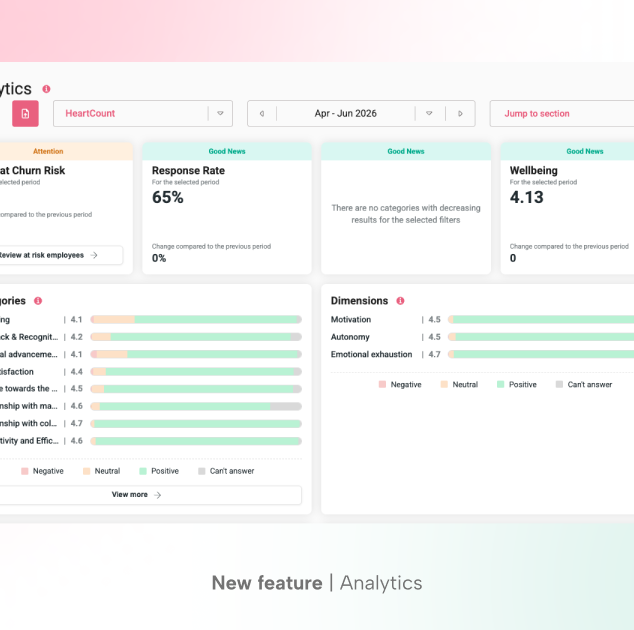
Survey Overview shows the overall response rate and a summary of results across AI Pulse, AI Threat, AI Experience, Dimensions, and Categories.
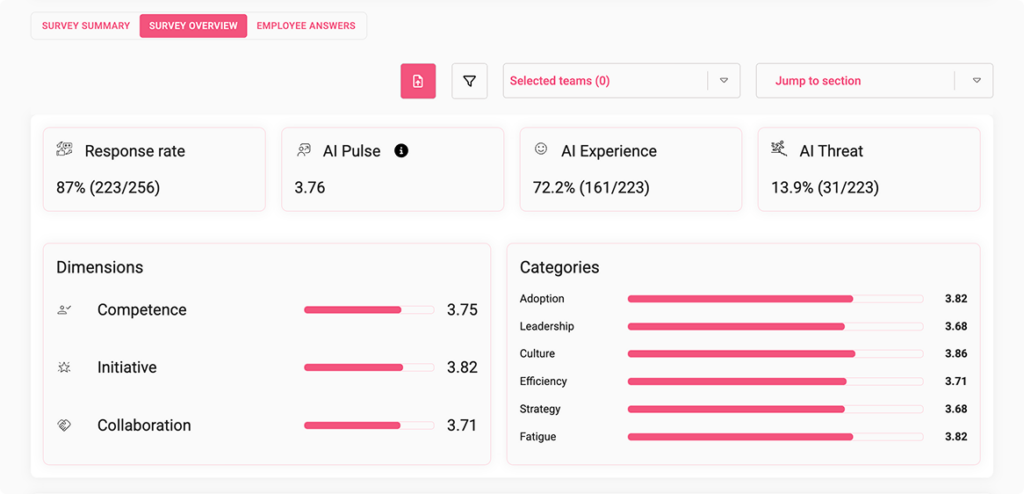
Each section includes guidelines to help you interpret what the scores mean. Results can be filtered by team and demographic data.
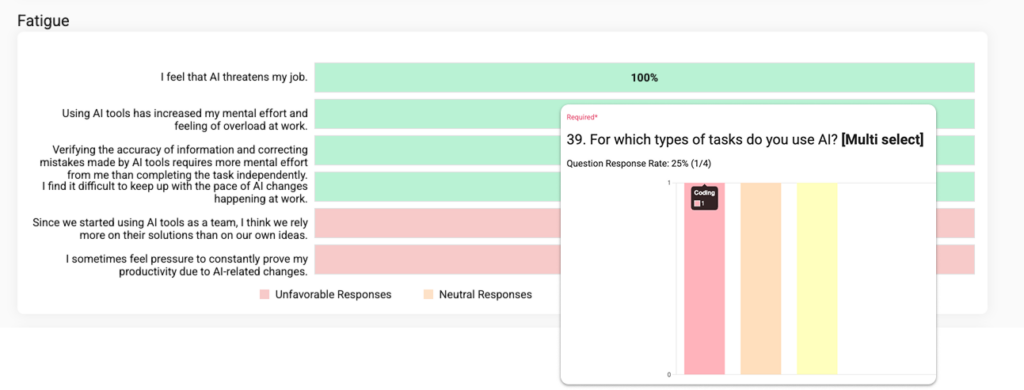
Export this tab as a PDF to keep an internal record or share with stakeholders outside HeartCount.
Employee Answers provides a full breakdown of every question, what it measures, and how employees responded. In anonymous surveys, responses are visible per question but not tied to specific individuals.
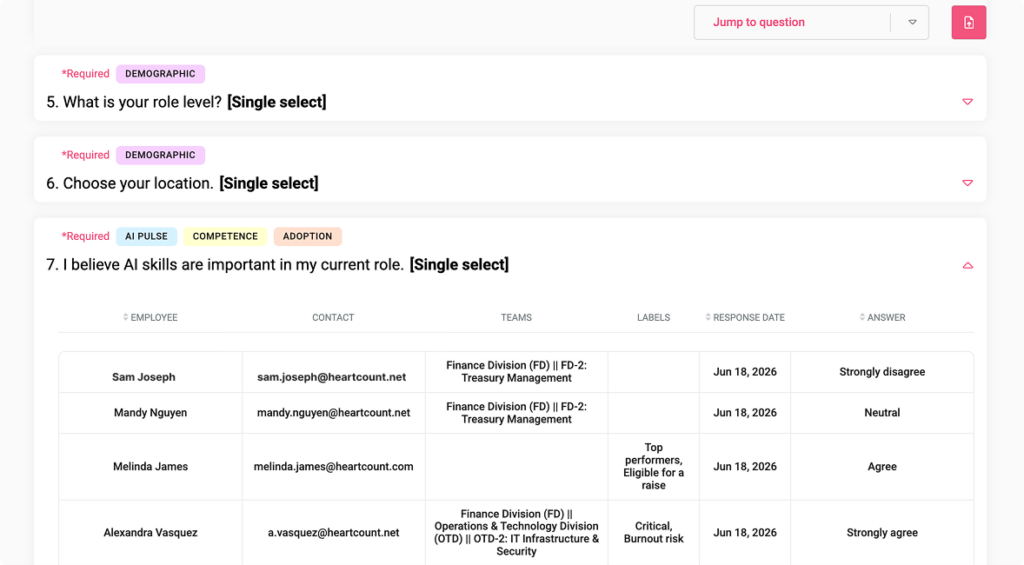
Export this tab as .xlsx for internal records or to share with someone who doesn’t have access to HeartCount.
See the real impact of AI on your people – start with the AI Impact Module today.
AI-Powered Comment Analysis in Communications
Open-ended feedback is often where the most valuable insights hide – but reading through hundreds or thousands of comments one by one isn’t realistic for most HR teams. For companies using the AI Impact Module, HeartCount applies AI directly to the Communications page, automatically reading, tagging, and scoring every comment so you can find what matters in seconds instead of hours.
The Communications page includes two new filters, powered by AI:
- Sentiment filter – instantly surface comments that are positive, neutral, negative, or mixed
- Comment tags filter – search comments by the subject they’re actually about, not just keywords
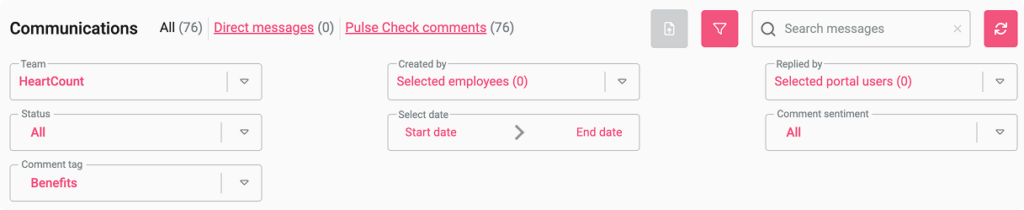
Every comment is automatically labeled with a topic tag and a sentiment indicator, so patterns become visible at a glance – no manual reading, sorting, or categorizing required.
AI-powered analysis in your Communication will help you:
- Find signal faster – jump straight to negative sentiment on a sensitive topic instead of scrolling through every comment
- Spot emerging themes – track how sentiment on topics like AI or Workload shifts over time
- Reduce manual review – let AI do the first pass of reading and categorizing so your team can focus on acting, not sorting
- Stay consistent – every comment is tagged using the same criteria, removing the subjectivity of manual review
How it works
AI analyzes each comment as it comes in and assigns it:
- A sentiment label – positive, neutral, negative, or mixed – shown as a visual indicator next to the comment
- One or more topic tags – based on what the comment is actually discussing
You can then filter the Communications page by sentiment, by tag, or both – for example, pulling up every negative comment tagged Workload, or every mixed comment about AI.
Pre-defined tags
HeartCount allows you to use pre-defined tags for comment analysis and define your custom ones to analyze any new topics that might emerge.
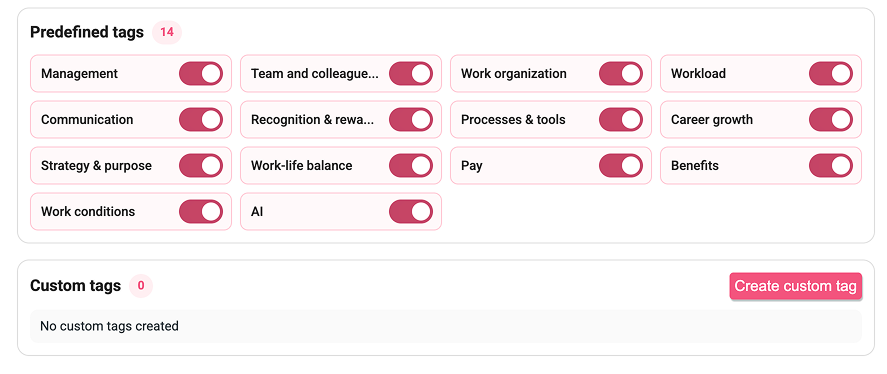
This is a set of predefined tags covering the topics that matter most across engagement, culture, and AI adoption:
| TAG | WHAT IT COVERS |
| Management | Comments about managers, supervisors, or senior leaders and how leadership is experienced at work. Includes direct manager support, fairness, trust, listening, feedback quality, decision-making, visibility of leaders, and trust in senior leadership or executives. Does not include peers/coworkers (use team) or company strategy/purpose as a topic (use strategy_purpose). |
| Team & colleagues | Comments about coworkers, teamwork, collaboration, and relationships between peers. Includes team atmosphere, mutual support among colleagues, conflicts between coworkers, or feeling part of a team. Does not include issues with managers (use management). |
| Work organization | Comments about how work is planned, prioritized, structured, and coordinated. Includes role clarity, task allocation, planning, deadline organization, handoffs between teams, or chaos/disorganization in how work is set up. Does not include tools/systems themselves (use processes) or volume of work (use workload). |
| Workload | Comments about the amount of work, pressure, stress, burnout, or capacity. Includes feeling overwhelmed, too many tasks, unrealistic expectations, overtime, or exhaustion caused by work volume. Does not include how work is organized (use work_organization) or general wellbeing without workload focus (use work_conditions). |
| Communication | Comments about information flow, transparency, clarity, and dialogue at work. Includes internal communication, meetings, clarity of expectations, feeling uninformed, or difficulty getting answers. Does not include tools used for communication unless the tool itself is the main issue (use processes). |
| Recognition & rewarding | Comments about appreciation, praise, acknowledgment, and non-financial recognition for good work. Includes feeling valued or unvalued, performance feedback, awards, or lack of recognition. Does not include salary or benefits (use pay_benefits) |
| Processes & Tools | Comments about work processes, systems, software, tools, bureaucracy, and operational efficiency. Includes outdated systems, too many approvals, inefficient workflows, IT issues, or tools that help or hinder work. Does not include how tasks are prioritized or assigned (use work_organization). |
| Career growth | Comments about professional development, learning, training, promotions, career path, and growth opportunities. Includes skill development, mentoring, advancement prospects, or feeling stuck in one’s career. Does not include compensation for the role (use pay_benefits). |
| Strategy & purpose | Comments about company direction, vision, mission, purpose, goals, and strategic priorities. Includes understanding where the company is headed, alignment with the company’s purpose, strategic organizational changes, or uncertainty about the future. Does not include day-to-day management issues (use management). |
| Work-Life Balance | Comments about balancing work with personal life, family, health, and personal time. Includes long hours affecting personal life, inability to disconnect, vacation usage, or stress from work spilling into personal life. Does not include remote/hybrid arrangements as the main topic (work_conditions) or workload volume alone (use workload). |
| Pay | Comments about salary, wages, bonuses, raises, commission, overtime pay, or financial compensation for work.Includes feeling underpaid, pay fairness, salary reviews, variable pay, or satisfaction with cash earnings. Does not include non-cash perks or benefits such as insurance, gym, meal allowances, or company-paid events (use benefits). Does not include non-financial recognition or praise (use recognition). |
| Benefits | Comments about non-cash benefits and employer-provided perks. Includes health insurance, pension, gym memberships, meal allowances, company car, paid team events, parental leave benefits, and other employer-funded perks. Does not include salary, wages, bonuses, or other cash compensation (use pay). Does not include praise or acknowledgment for good work (use recognition). |
| Work conditions | Comments about working conditions in a broad sense: remote/hybrid/office arrangements, workplace atmosphere and culture, and the physical workspace. Includes flexible hours, office attendance policies, commute impact, morale, psychological safety, respect or toxicity at work, belonging, office space, facilities, equipment, cleanliness, noise, temperature, ergonomics, parking, or physical workplace safety. Does not include work volume/stress (use workload), balancing work and personal life (use work_life_balance), pay/benefits (use pay_benefits), or how tasks are planned/organized (use work_organization). |
| AI | Comments about artificial intelligence tools, AI usage at work, AI literacy/training, experimentation with AI, or perceptions and impacts of AI on daily tasks and processes. Includes mentions of specific AI tools or AI capabilities, learning or adapting to AI, whether AI helps productivity, uncertainty about AI, concerns about job impact, or frustration/acceptance of AI-driven changes. Does not include general workload/stress by itself (use workload), general processes/systems (use processes) unless AI is the main topic, or manager behavior unless it is specifically about how leaders introduce/train/manages AI (use management + AI when appropriate). |
Each tag is scoped carefully to avoid overlap – for example, comments about pay stay separate from benefits, and workload stays distinct from general work conditions – so filtering returns precise, non-duplicated results.
Customizing your tags
Tags aren’t fixed. You can:
- Use the predefined set as-is
- Add your own custom tags to match topics specific to your organization
- Set anywhere from 3 to 15 tags total
When adding a custom tag, you’ll need to define its label in every language currently active on your platform, so tagging stays consistent across all employee-facing languages.
Try AI Analysis in your Communication module after your next pulse check and see where your attention should go.